오블완 챌린지 11일차
며칠 전에 알리에서 산 블랙 원피스를
입으면서 "이게 아닌데"를
10억번 말한 GamJia 입니다
오늘 드디어 Save The Dog 강의의
마지막 날입니다!
오늘은 Save The Dog의
또 다른 주인공 벌을 만들어주겠습니다
구조는 이미지를 참고해주세요
Bee Manager는 벌집입니다!
using System.Collections;
using UnityEngine;

namespace SaveTheDog
{
    [AddComponentMenu("Save The Dog/Bee Manager")]
    public class BeeManager : MonoBehaviour
    {
        [SerializeField] private int count;
        [SerializeField] private GameObject bee; // 벌 프리팹

        public static BeeManager Instance => instance;
        private static BeeManager instance;

        private void Awake()
        {
            if (instance == null)
            {
                instance = this;
                DontDestroyOnLoad(gameObject);
            }
            else
            {
                Destroy(gameObject);
            }
        }

        public void StartSpawnBee()
        {
            StartCoroutine(SpawnBees());
        }

        private IEnumerator SpawnBees()
        {
            for (int i = 0; i < count; i++)
            {
                // BeeManager의 자식으로 벌 생성
                GameObject newBee = Instantiate(bee, transform.position, Quaternion.identity, this.transform);

                // 0.3초 대기
                yield return new WaitForSeconds(0.3f);
            }
        }

        public void DisableBees()
        {
            // BeeManager의 모든 자식 개수만큼 반복
            for (int i = 0; i < transform.childCount; i++)
            {
                Transform child = transform.GetChild(i);

                // 자식의 Bee 컴포넌트를 찾아 enabled를 false로 설정
                Bee beeComponent = child.GetComponent<Bee>();
                if (beeComponent != null)
                {
                    beeComponent.enabled = false;
                }
            }
        }
    }
}
아직 Prefab 설정하기 전
bee를 prefab에 넣어보고
Coroutine을 작동 시켜보겠습니다
너무 한번에 우루루 나올거 같아서
0.3초의 텀을 주었습니다
DisableBees는 GameOver와 Clear일 때
Bee의 건전지를 빼주는 역할입니다
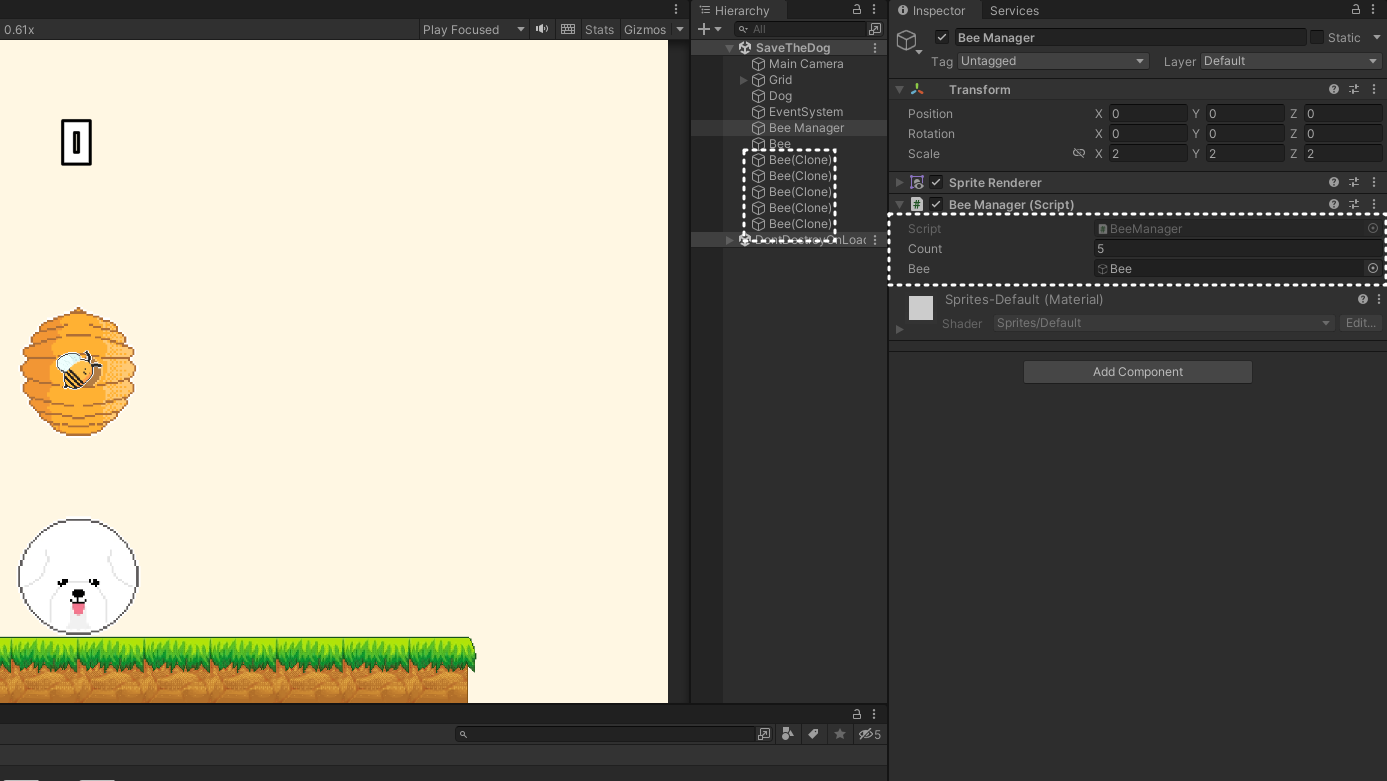
일단 이해를 돕기 위해
Coroutine을 start에 넣고 작동시켰더니
제가 입력한 수 만큼 벌이
잘 생성된걸 확인했습니다
Coroutine은 그림을 다 그리고
손을 뗄 때 작동시키겠습니다
private IEnumerator StartTimer()
{
    BeeManager.Instance.StartSpawnBee();	// 추가

    float timerDuration = 5f;
    float timeRemaining = timerDuration;

    while (timeRemaining > 0f)
    {
        timeRemaining -= 1f;
        UIManager.Instance.UpdateTimerText(Mathf.FloorToInt(timeRemaining));
        yield return new WaitForSeconds(1f);
    }

    BeeManager.Instance.DisableBee();	// 추가
    animator.SetBool("isClear", true);
    timerCoroutine = null;
}

public void StopTimer()
{
    if(timerCoroutine!=null)
    {
        StopCoroutine(timerCoroutine);
        timerCoroutine = null;
        BeeManager.Instance.DisableBee();	// 추가
    }
}
어제 작업한 LineManager의
Timer Coroutine에 방금 기능을
연결해주겠습니다
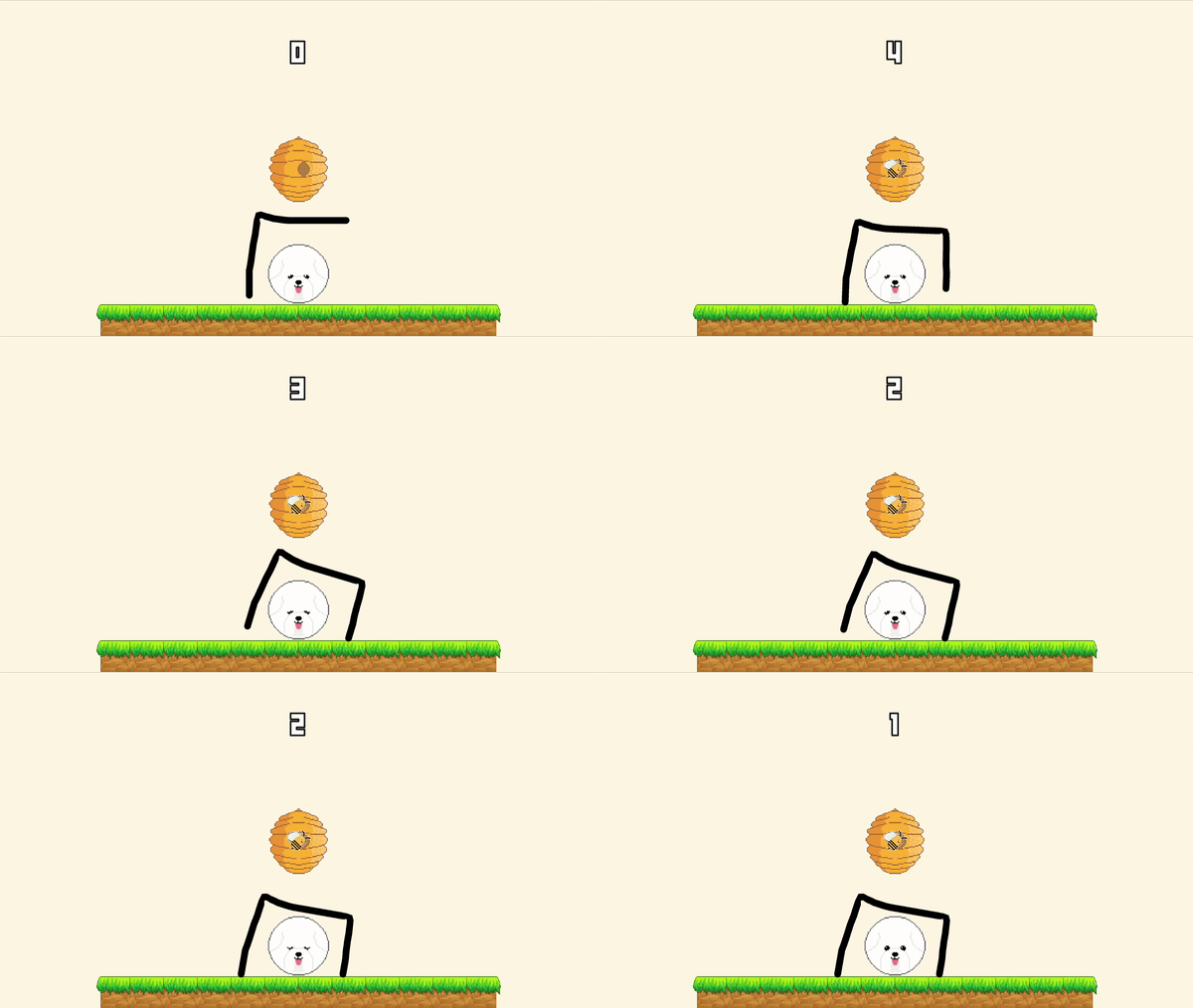
아직 벌의 움직임이 없어서
여러개 생성된건지 안보이지만..^_^
생성 타이밍이 손을 뗄 때라는 것만
확인하면 될 것 같습니다
using System.Collections;
using UnityEngine;

namespace SaveTheDog
{
    [AddComponentMenu("Save The Dog/Bee")]
    public class Bee : MonoBehaviour
    {
        [SerializeField] private float speed = 1f; // 이동 속도
        [SerializeField] private Vector3 targetPosition; // 목표 위치
        private float originalSpeed; // 원래 속도 저장

        private void Start()
        {
            // 초기 속도 저장
            originalSpeed = speed;
        }

        private void Update()
        {
            // 목표 위치로 이동
            MoveTowardsTarget();
        }

        private void MoveTowardsTarget()
        {
            // 현재 위치에서 목표 위치로 일정 속도로 이동
            transform.position = Vector3.MoveTowards(transform.position, targetPosition, speed * Time.deltaTime);
        }

        private void OnCollisionEnter2D(Collision2D other) {
            // 충돌 발생 시 속도를 0으로 설정
            StartCoroutine(TemporaryStop());
        }

        private IEnumerator TemporaryStop()
        {
            speed = 0f;

            // 1초 대기
            yield return new WaitForSeconds(1f);

            // 원래 속도로 복구
            speed = originalSpeed;
        }
    }
}
벌의 코드를 작성해 벌에 연결해주고
Prefab으로 전환해주겠습니다
원작 보니까 선에 닿으면
얘들이 잠깐 주춤주춤 하는게 있길래
선에 닿으면 1초동안 잠깐 speed를
0으로 만들어주었습니다
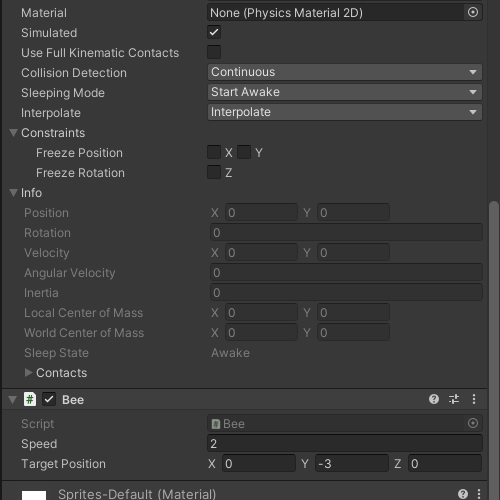
TargetPosition에는 강아지의 위치를
입력해주도록 하겠습니다
using System.Collections;
using System.Collections.Generic;
using UnityEngine;

namespace SaveTheDog
{
    [AddComponentMenu("Save The Dog/Save The Dog Player")]
    public class Player : MonoBehaviour
    {
        private void OnCollisionEnter2D(Collision2D other) {
            // 충돌한 객체에 Bee 컴포넌트가 있는지 확인
            Bee beeComponent = other.gameObject.GetComponent<Bee>();
            if (beeComponent != null)
            {
                LineManager.Instance.StopTimer();
            }
        }
    }
}
마지막으로 Player가 Bee 객체와
충돌이 생길 경우 Timer를 멈춰
GameOver가 될 수 있게 해주겠습니다
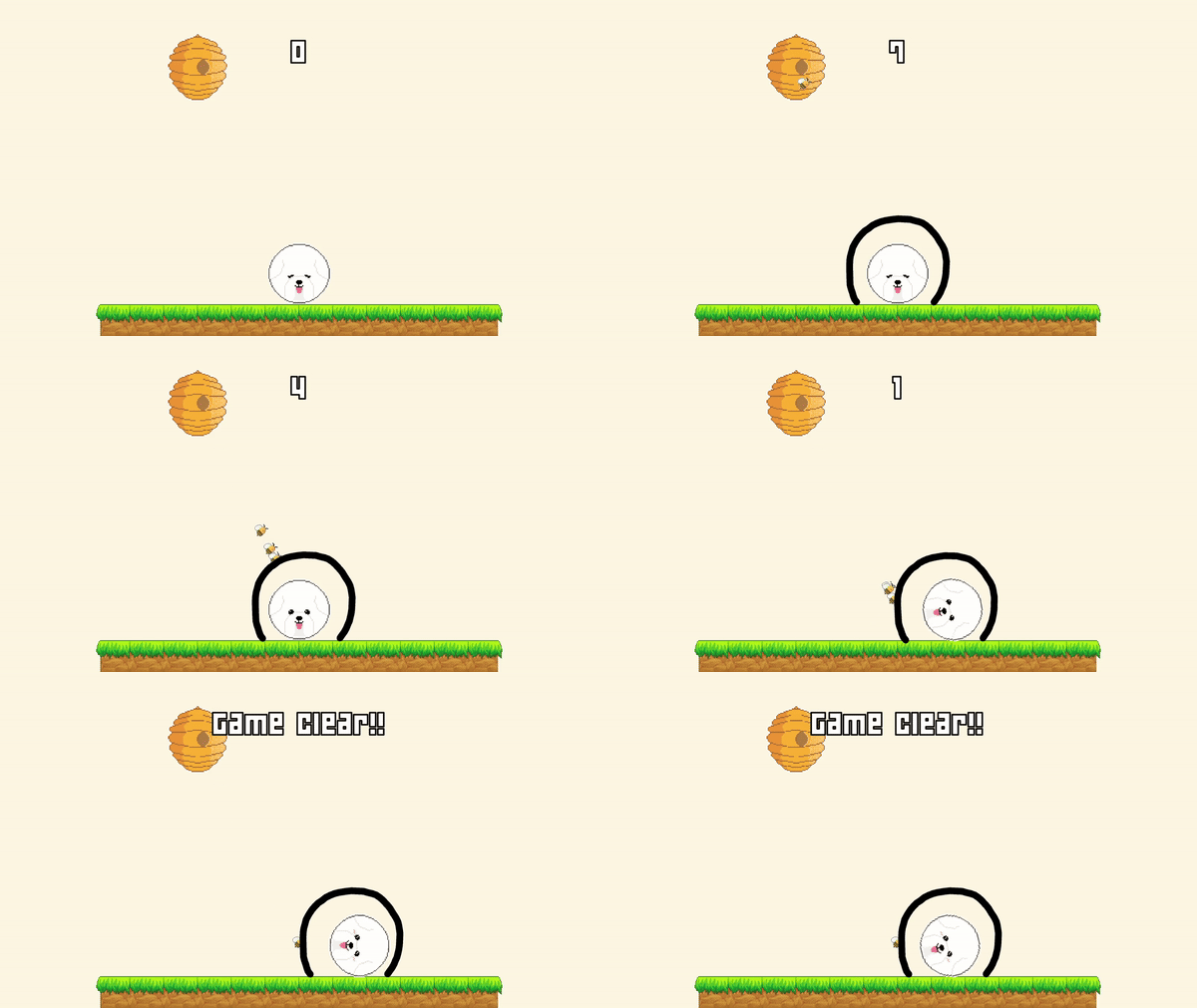
사실 이 Save The Dog는
정말 핵심 기능들만 간단하게
구현한 버전이라 고쳐야
할 것들이 많습니다^_ㅠ
이런 버그들을 수정하는 과정을
흔히 폴리싱이라고 부르는데요
폴리싱 과정은 여러분께 맡기겠습니다..
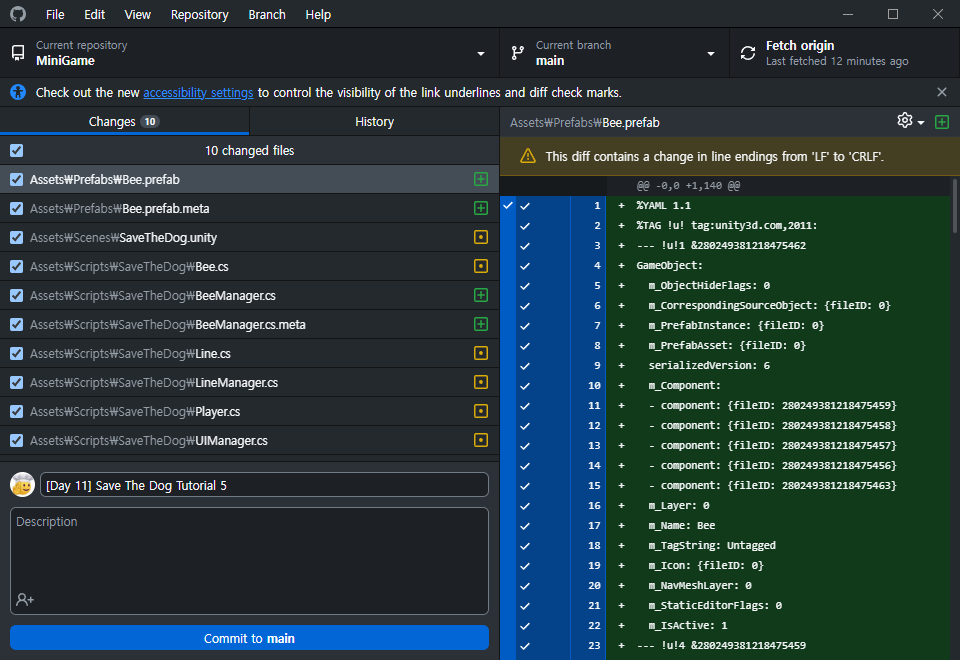
오늘은 여기까지 하고
GitHub에 Commit하는걸로
마무리 하겠습니다!
벌써 챌린지의 절반이 지나갔네요!
다음 게임은 어떨지 많은
기대 부탁드립니다
감사합니다!!

